Bond Home
- 4.7
- Rating
- 100.00K
- Installs
- Free
- Price

 Analysis by App-foxy
I started using Bond Home with a simple household problem in mind: smart-home devices are useful, but they can become confusing when more than one person needs to use them. One person installs the device, another wants to check it, and someone else may only need occasional access. The app’s appeal is not that it tries to turn home management into a complicated control center. Its appeal is that it gives the Bond ecosystem a place to operate from, which makes shared use feel more practical than relying on scattered device-specific routines.
Bond Home is a free House & Home app from Olibra LLC, available for Everyone and compatible with Android devices running version 7.0 or later. It has built a strong store presence, with a 4.7 average from around 2.1 thousand ratings and more than 100 thousand installs. Those figures do not replace personal testing, but they do match my impression that this is a focused utility rather than an abandoned experiment.
How Bond Home fits into a shared household
The most convincing way to understand this app is to imagine a normal evening at home. I may be the person who first connects the household device, but I am not always the person who needs to use it. A partner may want access while I am away, a roommate may need to manage a shared item, or a visitor may need a quick explanation instead of a long tour of settings. In that situation, the value of Bond Home comes from putting the relevant interaction in one familiar place.
You May Also Like

 Blood Strike: 2.5 Anniversary
Blood Strike’s Loadouts Turn Every Drop Into a Tactical Gamble
A close look at Blood Strike’s custom loadouts: how fast access to signature weapons reshapes its battle royale rhythm, rewards preparation, and narrows the gap between fights.

 Pandora - Music & Podcasts
Pandora’s Music Is Easy to Start, but Harder to Recover
Pandora’s strength is its low-effort path from a seed to a station. Its weak spot is how much confidence it asks you to place in connection, setup, and quiet recovery.

 8 Ball Pool
 Is Built on Rivalries, Rematches, and Routine
A close look at the rivalries, rematches, shared routines, and unanswered safety questions that turn a quick pool match into a persistent mobile community.

 Samsung Music
’s Quiet Strength Is Playing What You Already Own
Its reach comes less from spectacle than from dependable access to a personal library. That simplicity is both the app’s strongest retention engine and its ceiling.

 AccuWeather: Weather Radar
AccuWeather Review: A Quick, Clear Forecast for Everyday Decisions
For everyday plans, the best forecast is the one you can understand quickly. AccuWeather makes rain timing, radar, and local conditions easy to act on, with a few trade-offs.

 Hill Climb Racing
Why Hill Climb Racing Still Turns Crashes Into One More Run
A tiny car, a bumpy hill and one more upgrade: Hill Climb Racing keeps resurfacing because its simple chaos makes every near-miss feel personal.
More From Our News Desk



That shared-device angle also exposes the app’s limits. It is not a replacement for communication between people, and it does not magically settle who should have access to what. I still think about account boundaries before handing over a phone or letting another person use the app. If everyone treats one account as a communal login, convenience can come at the cost of clarity. If each person keeps their own access arrangements where possible, the household is easier to manage.
I found this especially important in a home where one person is comfortable with connected technology and another prefers a straightforward button-and-result experience. The more technically confident user can handle the initial work, while the occasional user benefits only if the everyday controls remain understandable. Bond Home is most useful when the household agrees on that division instead of expecting the app to solve every organizational issue.
A practical routine is to decide who will perform setup, who will use the app regularly, and who only needs occasional help. I would also explain what the app is for before sharing access: controlling or interacting with the connected Bond setup, not acting as a general family-management tool. That small conversation prevents unrealistic expectations and makes the app feel less intrusive.
What the first setup feels like
The first run is the point where patience matters most. As with many smart-home apps, the experience depends on the device being connected and on the person doing the setup understanding which account or household arrangement they intend to use. I recommend doing this part when the home is quiet, rather than during the moment someone urgently wants the device to work.
I would keep the phone close to the equipment, make sure the relevant device is ready, and avoid switching between several people’s phones during the initial process. That is not because a shared household cannot use more than one phone, but because changing hands too early makes it harder to tell whether a problem comes from the app, the device, or the account arrangement.
One useful habit is to record the household decision in plain language before opening the app: “this person handles setup, these people need everyday access, and guests ask for help rather than receiving permanent access.” That sounds basic, but it prevents the common mistake of treating the first successful connection as the end of setup. In a shared home, the real setup includes deciding how the app will be used afterward.
The current version is 2.64.2-master1, and the app was released on December 4, 2019. I see that history as a reason to judge it by how well it supports a current household routine, not simply by how new the interface feels. A mature utility can be preferable to a flashy one if it keeps the central task understandable, although users who expect a highly polished, constantly changing smart-home dashboard may find the experience more restrained.
Account boundaries matter more than the installation screen
When several people share a home, I pay close attention to the difference between device access and personal identity. A person may need to use the connected equipment without needing access to every setting associated with the household. Bond Home should therefore be introduced with the same care I would use for any home-control app: decide what is shared, avoid casually passing around the primary account, and make sure everyone understands which phone is considered the main management device.
This is also where I would avoid making assumptions about family controls. The Everyone age classification tells me the app is suitable for a broad audience, but that does not mean it should be handed to a child as an unsupervised household-management tool. Age suitability and responsibility are different questions. A younger user might understand the basic interaction, while an adult should still decide who can change the setup or troubleshoot a connected device.
For roommates, the issue is slightly different. Roommates may share equipment without sharing every other part of their digital lives. I would rather explain the access arrangement clearly than create a single communal login that everyone can change. If the household changes later, that clarity becomes valuable because the remaining users know which account or phone needs attention.
For couples or families, the trade-off is convenience versus accountability. A single familiar setup can reduce friction, but it can also make it unclear who changed something when the result is unexpected. Bond Home works best when the household’s expectations are simple and explicit. It is less suitable when several people need separate, carefully limited permissions and the home depends on detailed identity management.
Using it for coordination rather than constant checking
I do not think a smart-home app should encourage everyone to stare at a status screen all day. The better use is coordination at the moment it matters. Before leaving, one person can handle the household interaction. Later, another person can use the same app when they return or when a device needs attention. The benefit is small but real: fewer repeated explanations and less dependence on whoever originally installed everything.
That makes Bond Home a reasonable fit for households where the connected equipment has a clear, shared purpose. It is also useful when the person who understands the technology is not always present. I would set aside a few minutes to show another household member the basic path through the app, then let them perform it themselves. Watching someone else do it is not enough; the real test is whether they can repeat it without asking where every control is.
A second practical tip is to keep the app’s role narrow. If I use it for one particular household task, I do not expect it to become a complete replacement for every other smart-home service. This reduces confusion when another device belongs to a different ecosystem. Bond Home is easier to live with when it is treated as the home for Bond-connected use, rather than as a universal remote for every appliance.
There is also a useful trade-off between speed and explanation. A regular user may want the shortest route to the needed action, while a new user may need context about what the action affects. I would teach the result first—what should happen when the control is used—then explain the control itself. That approach is more reliable than describing interface labels without connecting them to a real household task.
Where it differs from ordinary alternatives
The usual alternative is to keep using separate controls, a physical remote, or whatever app came with each individual device. That can be perfectly adequate when only one person uses the equipment and the original control is always nearby. In that situation, adding another app may feel unnecessary. Bond Home earns its place when the household wants a consistent digital point of interaction for the Bond setup and when the original arrangement is inconvenient for shared use.
Compared with a broad smart-home platform, Bond Home feels more focused. A larger platform may be better for someone who wants one dashboard spanning many brands, complex scenes, voice routines, or extensive automation. The advantage of that approach is breadth; the disadvantage is that it can introduce more menus, compatibility questions, and account decisions than a household actually needs. I would choose Bond Home when the priority is staying close to the Bond equipment rather than building a large multi-brand system.
Compared with a physical control, the app offers the convenience of using a phone that is already with me. The cost is dependence on the phone and the app experience. A physical control can be quicker for a person who dislikes screens, while Bond Home is more attractive when household members are already comfortable using their phones. That distinction matters for older relatives, guests, or anyone who wants the simplest possible interaction.
I would also avoid comparing it to a general family organizer. Bond Home may help people coordinate access to a connected home device, but it is not the place I would expect to manage chores, calendars, shopping, or household messaging. Keeping those expectations separate is one of the easiest ways to avoid disappointment.
Age, trust, and everyday responsibility
The Everyone rating makes the app approachable from an age-classification perspective, but shared-home trust still deserves attention. I would not judge suitability only by whether someone can open the app. I would ask whether that person understands the effect of the action, knows when not to change the setup, and can tell an ordinary use from a problem that needs an adult’s attention.
That is particularly important in a home with children. The app can be present on a family phone without becoming a child-focused product. I would keep the main account and setup decisions with an adult, then decide whether a child needs any direct interaction at all. The same principle applies to visitors: showing the result may be safer and clearer than giving a guest unrestricted access to the household setup.
Trust also matters between adults. If a roommate moves out or a relationship changes, the household should review who still has access rather than assuming the old arrangement is harmless. This is not a special criticism of Bond Home; it is a normal responsibility for any app connected to something in the home. The app is useful, but it cannot replace a sensible access review.
My best practice is to keep one person responsible for maintenance while making everyday use understandable to everyone who genuinely needs it. That balances independence with accountability. It also makes troubleshooting less chaotic: the regular user can describe what happened, and the setup owner can investigate without several people changing settings at the same time.
Small habits that make the experience better
The first habit I recommend is testing the app at a calm time and then repeating the action from the location where it will normally be used. An interaction that feels obvious while sitting beside the device may feel less convenient when someone is carrying groceries, preparing for bed, or trying to help another person from another room. Testing the real routine reveals whether the app is genuinely helpful or merely technically functional.
The second is to keep a short household explanation beside the device or in a shared note: which app to open, what the normal result looks like, and who handles problems. This is not a Bond Home feature; it is a way to prevent the app from becoming dependent on one person’s memory. It is especially useful when guests or less frequent users need help.
The third is to separate ordinary use from troubleshooting. If something does not respond as expected, I would avoid repeatedly tapping controls while another person is also trying. First check what the intended result was, then identify whether the issue is with the phone, the connection, the account arrangement, or the physical device. That disciplined approach saves time and avoids turning a minor problem into a confusing sequence of changes.
A final tip is to update expectations along with the app. Since Bond Home has an established release history and a current version identified as 2.64.2-master1, I would check that the household’s phones remain compatible before relying on it for an important routine. The minimum Android requirement is 7.0, so older devices may need attention before a family member can join the routine. I would also make sure everyone knows which phone is being used for setup rather than assuming every device is configured identically.
Who should use Bond Home, and who should skip it?
I would recommend Bond Home to someone who already uses Bond-connected home equipment and wants a dedicated way to interact with it from a phone. It makes the most sense for a household where more than one person may need access, where the primary user is sometimes away, or where a physical control is not always convenient. Its free price also makes trying it less of a commitment for a household that is still deciding how much of its routine should be connected.
I would be more cautious if you want one app to control a wide collection of unrelated smart-home brands. A broader platform may be a better investment in that case, especially if automation, scenes, voice control, and detailed user permissions are central to your plans. I would also skip it if your existing physical control already works perfectly and nobody else needs phone access. Installing an app simply because it is available does not automatically improve a simple routine.
It is not my first choice for a household that needs sophisticated separation between multiple adults, children, guests, and temporary users. The app can fit into a thoughtful access plan, but I would not treat its presence as proof that every permission problem has been solved. The household still needs to establish boundaries and decide who is responsible for changes.
My household verdict
After looking at Bond Home as a shared-home tool rather than just a device companion, I see a useful, focused app with a clear place in the right household. Its strongest quality is practical: it can help more than one person participate in a Bond setup without requiring the original installer to be present for every interaction. That is a modest benefit, but it is exactly the kind of benefit that becomes noticeable in daily life.
I also appreciate that the app does not need to be treated as the center of the entire home. It works better when its boundaries are understood: Bond equipment here, other smart-home services elsewhere, and household decisions handled by people rather than assumed to be handled by software. That clarity makes the experience less frustrating than trying to force one app to cover every need.
My recommendation is strongest for shared households that value straightforward access and are willing to spend a little time deciding who manages the setup. I would install it for a Bond user who wants phone-based convenience and occasional shared access, while warning that account habits, age context, and responsibility still matter. In short, Bond Home is a sensible free utility for the Bond ecosystem, but its success depends as much on a clear household routine as on the app itself.
FAQs for Bond Home
01What is Bond Home and how does it work?
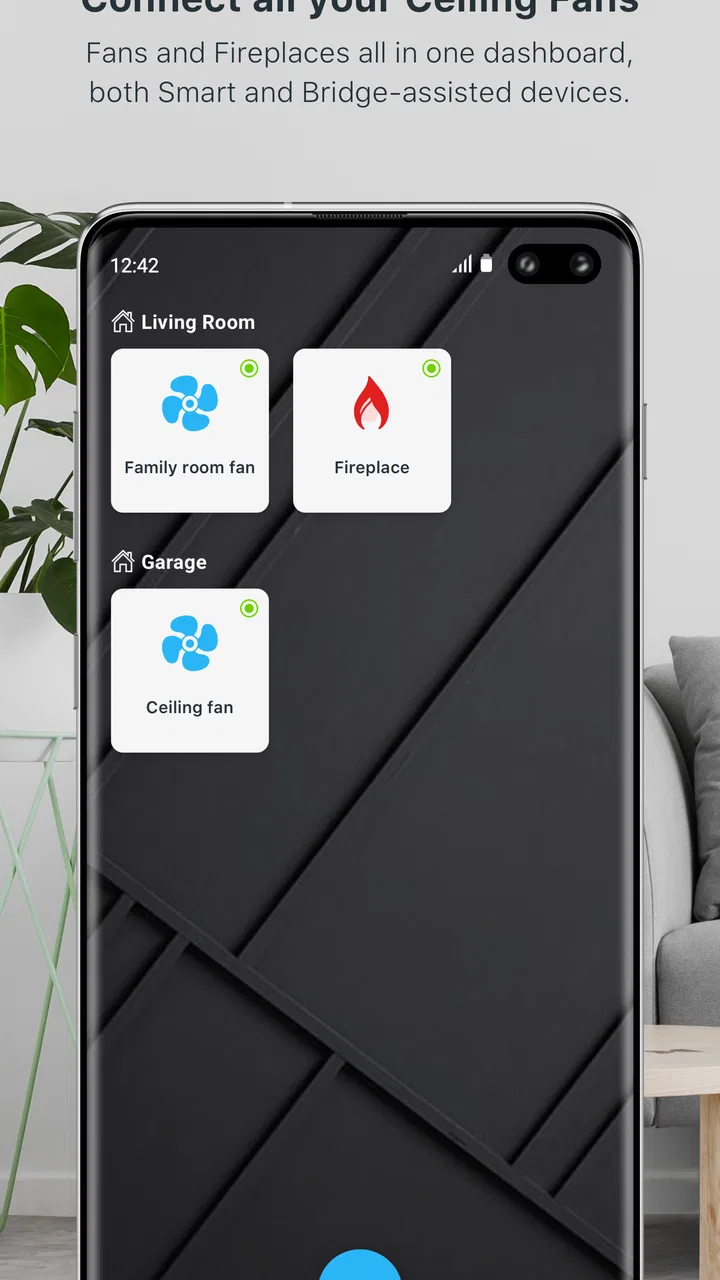
Bond Home is a smart home app designed to simplify the control of various smart devices in your home, such as ceiling fans, lights, and shades. By connecting these devices through the Bond Bridge, the app allows you to manage them all from your smartphone, providing a seamless and convenient user experience.
02Is the Bond Home app compatible with all smart devices?
While Bond Home supports a wide range of smart devices, it is primarily designed to work with RF (radio frequency) and IR (infrared) controlled devices. Before purchasing, it's essential to check the compatibility list on the official Bond Home website or within the app to ensure your devices are supported.
03Do I need any additional hardware to use the Bond Home app?
Yes, to use the Bond Home app effectively, you will need the Bond Bridge. This device acts as a hub, connecting your RF and IR devices to the app via Wi-Fi. The Bond Bridge is essential for enabling remote control and automation features available through the app.
04How secure is the Bond Home app?
Bond Home prioritizes user security by employing encryption and secure connection protocols to protect your data and device commands. Regular updates aim to enhance security measures and address any vulnerabilities. It's recommended to keep the app and associated devices updated to ensure maximum security.
05Can I control my devices remotely with Bond Home?
Yes, with Bond Home, you can control your devices remotely from anywhere in the world, as long as your smartphone and the Bond Bridge are connected to the internet. This feature allows you to manage your home devices even when you're away, providing both convenience and peace of mind.
Pros
- User-friendly interface for easy navigation.
- Seamless integration with smart devices.
- Offers customizable automation routines.
- Reliable remote access to home systems.
- Regular updates improve functionality.
Cons
- Limited compatibility with some devices.
- Occasional connectivity issues reported.
- Advanced features require premium subscription.
- Setup can be complex for beginners.
- Customer support response can be slow.

Bond Home
Gallery